
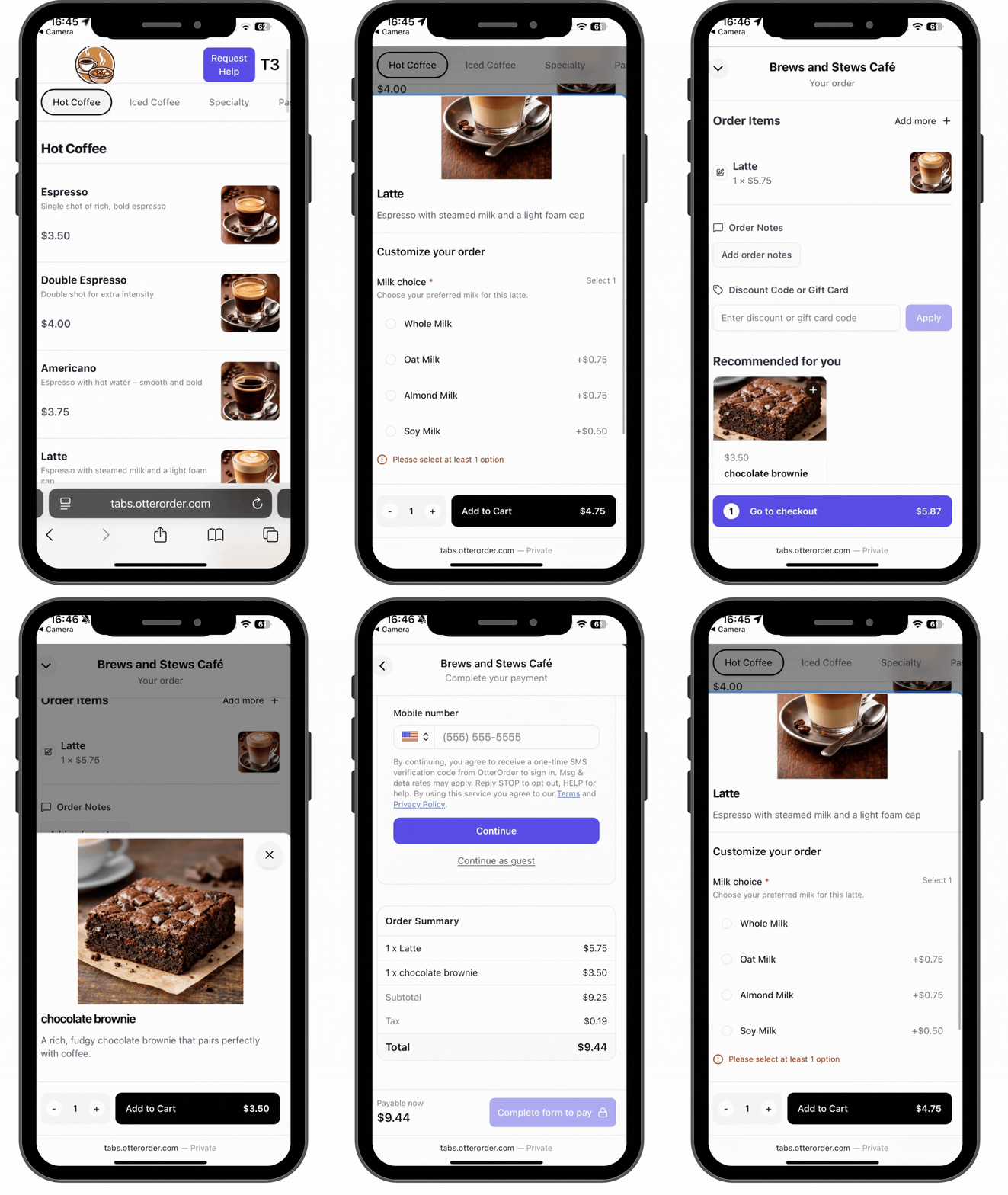
Upsell products are standard menu items that are suggested to customers during checkout. Before an item can be used as an upsell, it must first be created as a regular product in your menu.
When to use upsell products
Upsells work best for:
- desserts paired with drinks
- add-ons that complement a main item
- quick, low-friction extras customers can add with one tap
The key is keeping upsells simple and easy to understand.
Creating the product
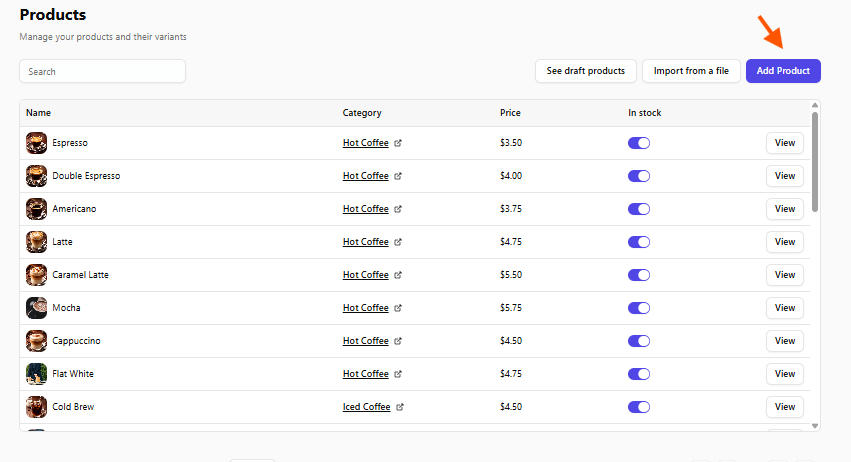
From the left-hand menu, go to Catalog, then Categories, and then Products.
Select Add Product to create a new item.
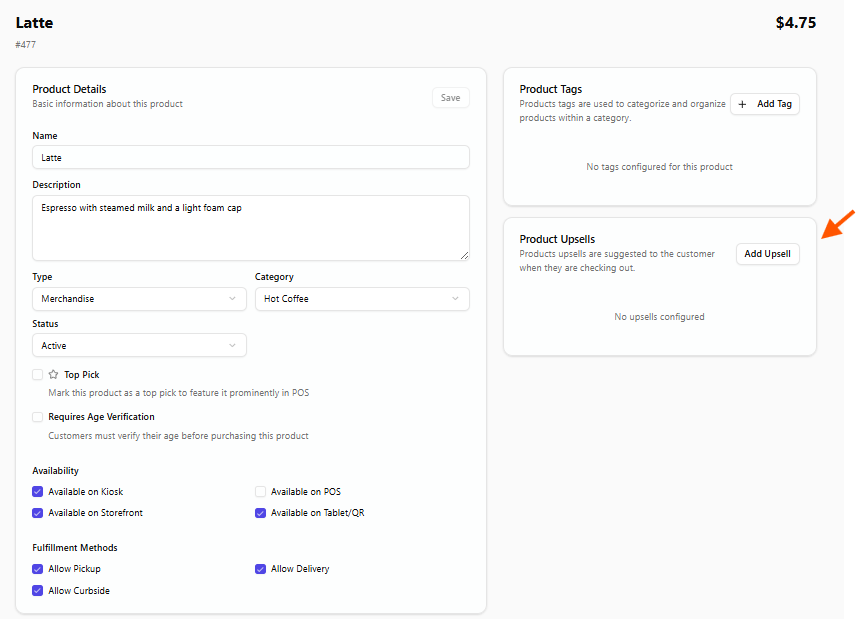
Enter the product name, add a short description, set the price, and assign a SKU if needed.
Save the product once all details are complete.
At this point, the product exists in your menu and can be used as an upsell.
Best practices for upsell products
Upsell products should be:
- clearly named
- easy to understand at a glance
- priced low enough to feel like an easy add-on
Descriptions should be short and focused on why the item pairs well with the main product.