Promotions in OtterOrder let you set up rules-based discounts that apply automatically at checkout or when a code is used. They’re designed for things like “10% off orders over $50”, “$20 off a specific product”, or “member-only offers”.
You can access them from the left-hand menu under Sales → Promotions. https://app.otterorder.com/promotions
On this page you’ll see a list of all promotions with the name, type, discount, status, and how many times each promotion has been redeemed. From here you can open an existing promotion or create a new one.
Viewing a promotion
When you click View on a promotion, you land on the main promotion detail page.
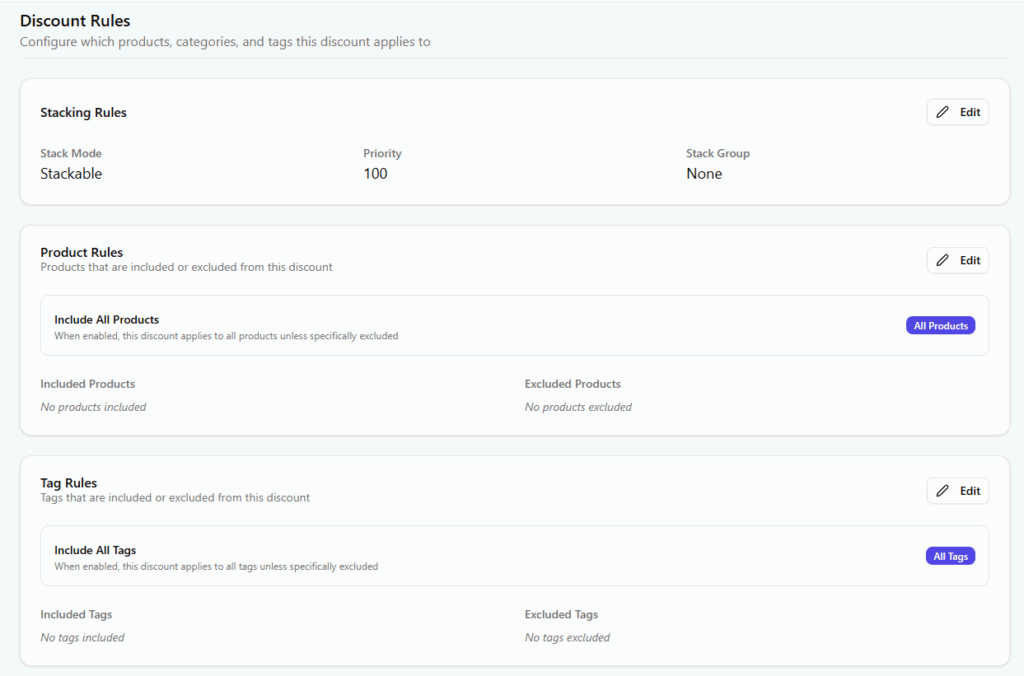
At the top you have the core configuration:
- Name and description so staff and customers understand what the promotion is.
- Status to quickly turn it on or off.
- Type and target – for example, a percentage discount applied to the whole order.
- Discount value – percentage or fixed amount, plus an optional maximum discount cap.
This gives you one clear place to control what the promotion does.
Conditions
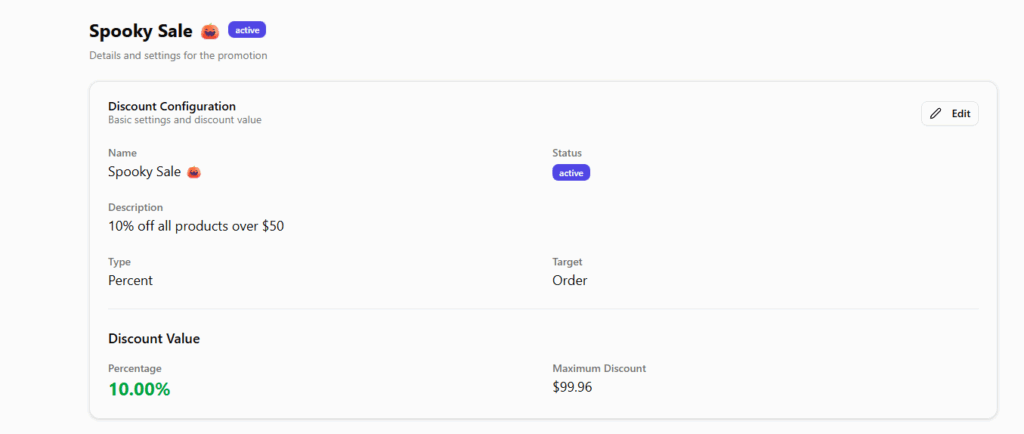
Below the main block you’ll see Conditions. This is where you decide when the promotion should be applied.
You can choose whether the discount is applied automatically or only when a code is entered, whether discounted items are excluded, and set a minimum subtotal if the offer should only kick in above a certain basket value.
For example: “10% off all products over $50, excluding already discounted items.”
Usage limits
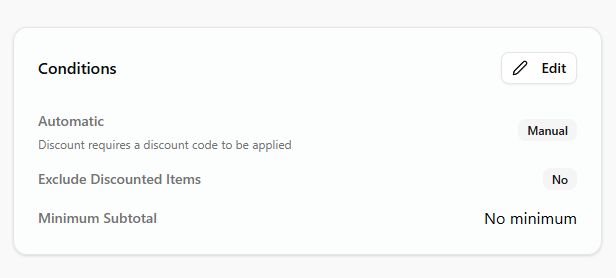
On the right, Usage Limits control how often the promotion can be used.
You can limit:
- The total number of times the promotion can be redeemed.
- How many times a single customer can use it.
- How many times it can be applied per order.
This is useful for things like “first 100 redemptions only” or “one use per customer”.
Discount rules and stacking
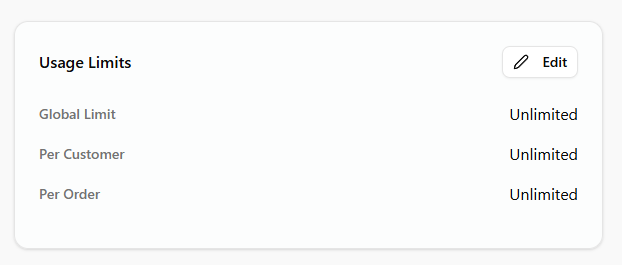
Further down, Discount Rules define where and how the promotion applies.
Stacking rules let you choose whether this promotion can be combined with other discounts or should be treated as exclusive. You can also set a priority so that, if multiple promotions are available, the system knows which one to apply first.
Product rules allow you to include or exclude specific products or groups, instead of discounting the entire catalog. You might include only a certain category, or exclude high-margin or regulated products from a storewide sale.