
The Customers section is where you manage individual customer records and see their history with your store. It gives your team a single place to look up someone, check their details, and understand what they’ve done with you so far.
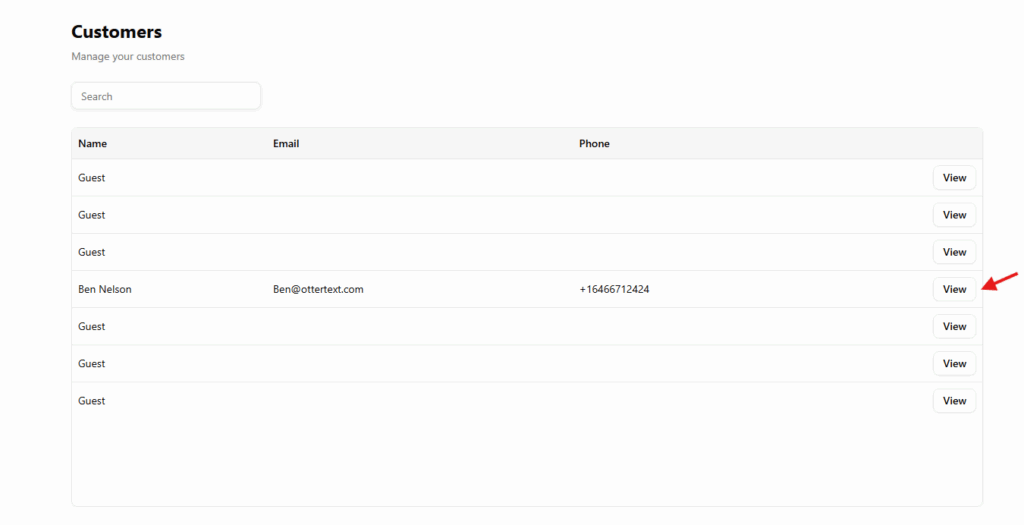
You can open it from the left-hand menu under Sales → Customers. The page shows a simple list of customers with search at the top so staff can quickly find the right person when they’re on the phone or at the counter.
Customer profile
Selecting View for a customer opens their profile.
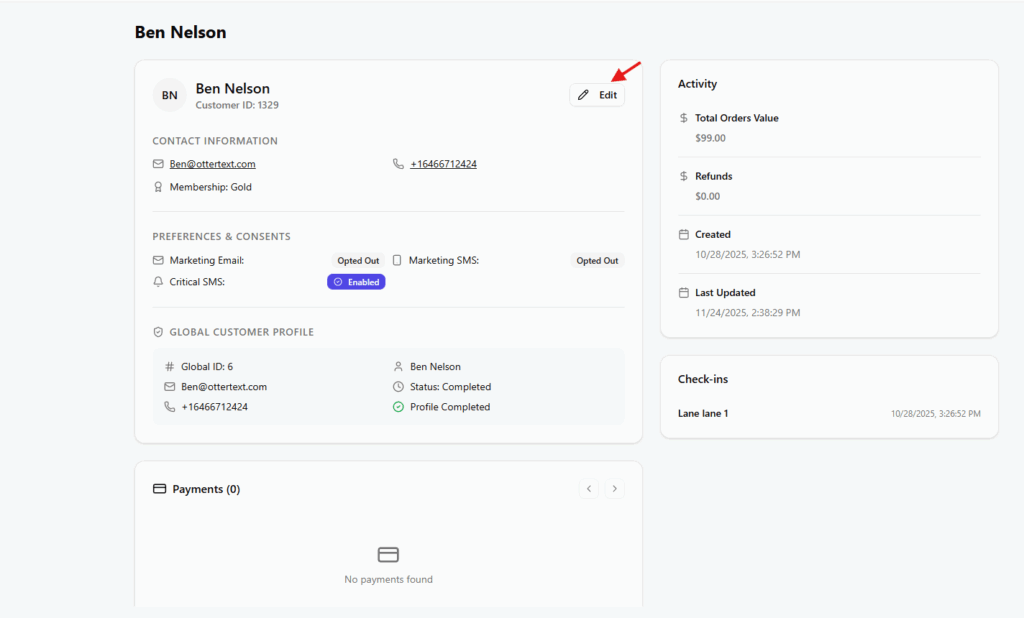
At the top you’ll see the main customer card with name, email, phone number and, if you use it, a membership level. This is the primary reference for who the customer is and how to contact them.
Below that, messaging preferences show whether they’re opted in or out of marketing email, marketing SMS and critical SMS. This is the place staff check before sending any outbound communication so that consent is respected.
On the right-hand side, the activity panel summarizes how engaged the customer is: total order value, number of refunds, when the profile was created and last updated, and their latest check-ins. It gives a quick sense of how important this customer is to the business without needing to open individual orders.
Further down the page you’ll see their orders. This table is automatically filtered to that customer only. From here, staff can open a specific order to view what was purchased or to handle follow-up actions such as refunds.
Updating a customer
To change contact details, use the Edit action on the main customer card.
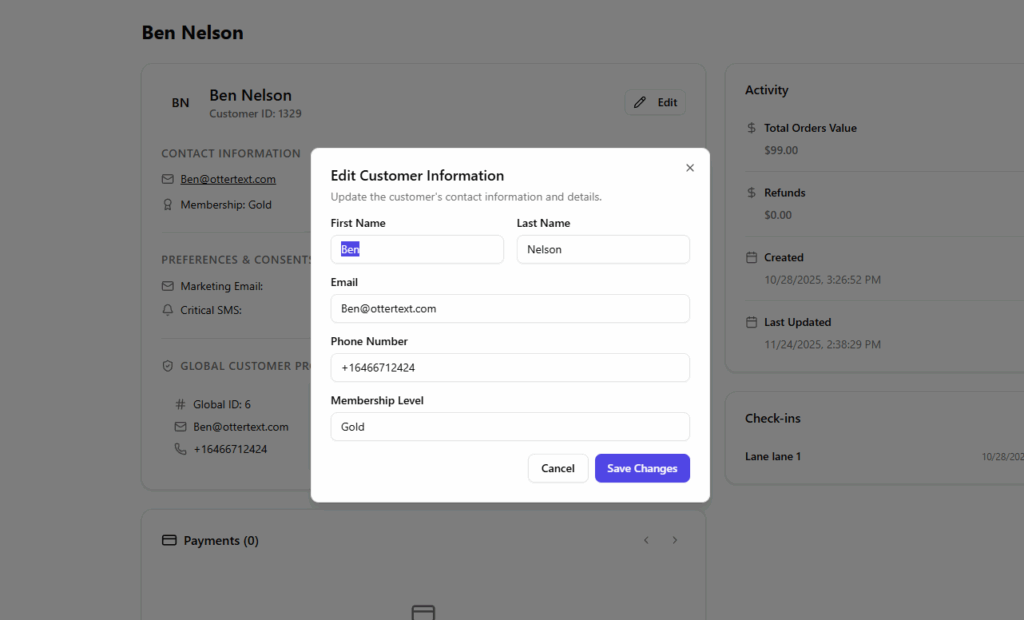
A small form appears where you can update name, email, phone number and membership level. Saving the changes updates the profile immediately and the activity panel records the latest modification time.
Preferences and consents are managed directly in the profile, so when a customer requests to opt in or out, staff can make the change from the same screen without leaving the page.
Together, the Customers list and the customer profile provide a focused place for your team to manage people, keep records accurate and see the context they need before taking action.